











How To Use Your DSLR Camera: A Beginner’s Guide 5
Understanding Your DSLR Camera
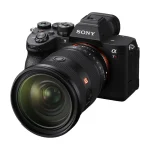
Familiarize yourself with the basic components of your DSLR camera: body, lens, viewfinder, LCD screen, buttons, and dials.
Mastering Manual Mode
Switch to manual mode to take full control over settings like aperture, shutter speed, and ISO for customized exposure.
Setting the Right ISO
Adjust ISO sensitivity depending on lighting conditions; higher ISO for low light and lower ISO for bright conditions.
Choosing the Correct Aperture
Select aperture (f-stop) to control depth of field; lower f-stop for blurred backgrounds (shallow depth) and higher for sharper images.
Adjusting Shutter Speed
Set shutter speed to freeze fast motion or create motion blur; faster speeds for action and slower speeds for creative effects.
Understanding Exposure Compensation of how to use your DSLR Camera
Use exposure compensation to adjust brightness; positive for brighter images and negative for darker ones in different lighting.
Using Focus Points
Select focus points to control where your camera focuses; single-point focus for precision or multi-point for broader focus.
Utilizing White Balance
Adjust white balance to ensure accurate colors; presets for different lighting conditions or custom settings for specific hues.
Utilizing Metering Modes
Choose metering mode for accurate exposure; evaluative for general scenes, spot for precise areas, and center-weighted for balanced exposures.
Reviewing and Adjusting Settings
Regularly review settings through the viewfinder or LCD screen; adjust as needed to capture the desired image accurately.
Using Autofocus Modes
Master autofocus modes: single-shot for stationary subjects, continuous for moving subjects, and manual focus for precise control.
Utilizing Histogram Display
Use histogram display to assess exposure; adjust settings until the histogram shows a balanced distribution of tones.
Experimenting with Different Lenses
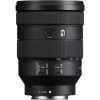
Explore various lenses for different perspectives and effects; wide-angle for landscapes, telephoto for portraits, and macro for close-ups.
Utilizing Built-in Flash
Understand when to use built-in flash; adjust flash settings for fill light or use external flash for more controlled lighting.
Thank you for your sharing. I am worried that I lack creative ideas. It is your article that makes me full of hope. Thank you. But, I have a question, can you help me?
Can you be more specific about the content of your article? After reading it, I still have some doubts. Hope you can help me. https://www.binance.bh/register?ref=JW3W4Y3A
Your point of view caught my eye and was very interesting. Thanks. I have a question for you. https://www.binance.bh/register?ref=JW3W4Y3A
Your article helped me a lot, is there any more related content? Thanks!
Your article helped me a lot, is there any more related content? Thanks! https://www.binance.com/register?ref=GGYHGRE